
How each approach works
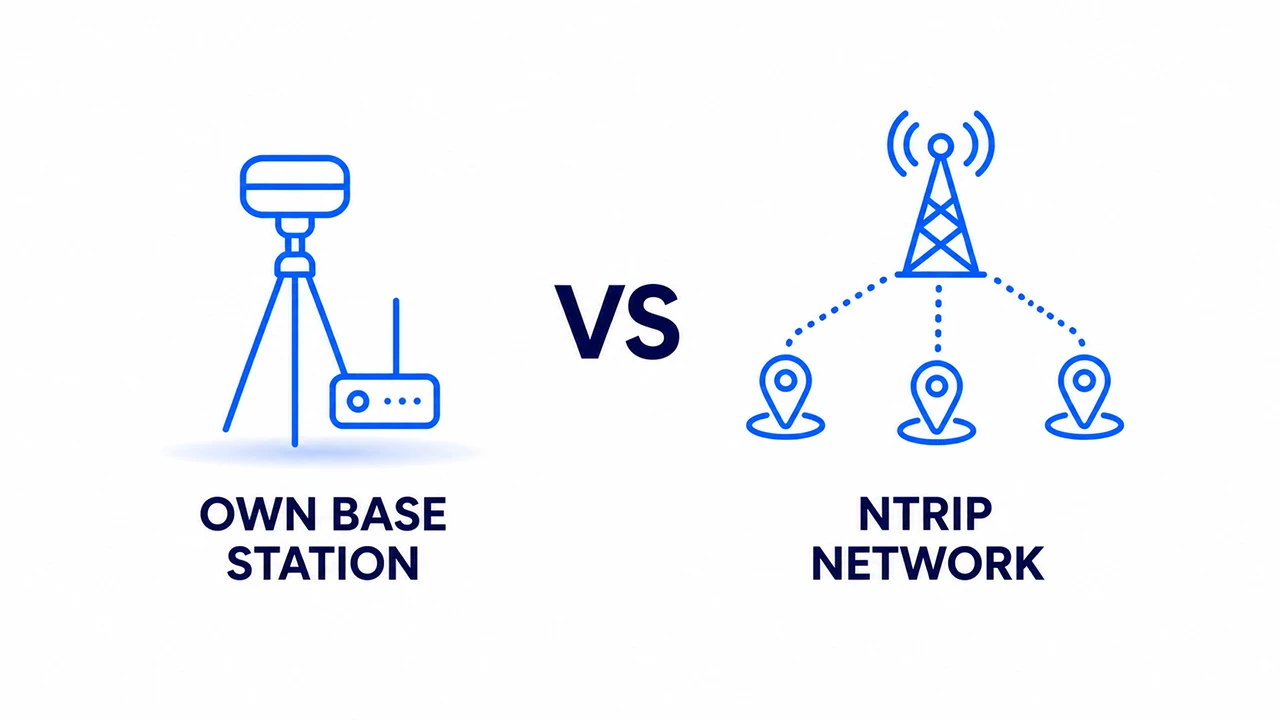
Own base station
You set up a second GNSS receiver at a known or averaged position on site. This receiver stays stationary and transmits corrections to your rover via radio (UHF) or internet (using a caster like Emlid Caster). You control everything — the hardware, the data and the baseline distance.
The base-rover approach has been the standard in professional surveying for decades. It works anywhere, even without mobile data or internet. The corrections are always fresh and always local because the base is physically close to your work area.
NTRIP correction service
You connect your rover to an NTRIP server over the internet. The server streams corrections from a network of permanently installed reference stations. You need only one receiver in the field — no base station to set up, survey or monitor.
Modern NTRIP networks such as GEODNET cover entire countries and continents. VRS technology eliminates the baseline distance problem by generating a virtual reference station next to your rover. The accuracy is comparable to a local base station for most professional applications.
Head-to-head comparison
Own base station
NTRIP network
Setup time
15–45 min per job. Set up tripod, level, survey or average base position, configure radio link.
Under 2 minutes. Enter credentials once, connect on every job.
Hardware cost
€800–€5,000+ for a second receiver, tripod, radio and accessories.
No additional hardware. One rover is enough.
Ongoing cost
Maintenance only. No monthly fees once hardware is paid for.
Monthly or annual subscription. Typically €14–€100/month depending on service and plan.
Accuracy
Best at short baselines (<10 km). Highest absolute accuracy when base is on a known point.
Comparable accuracy with VRS. 1–3 cm horizontal in most conditions.
Works without internet
Yes — radio link works anywhere.
No — requires mobile data at the rover.
Coverage area per day
Limited to ~10–30 km radius from base. Reposition base for large projects.
Unlimited within network coverage. Drive anywhere and corrections follow.
Works in remote areas
Yes — no infrastructure needed.
Only where mobile data is available.
Number of rovers
One base can serve multiple rovers simultaneously at no extra cost.
Each rover typically needs its own subscription or concurrent connection slot.
Coordinate traceability
Full control — base on known national coordinate point gives legally traceable positions.
ETRS89/WGS84 — nationally traceable when applied with correct transformation.
Risk of downtime
Battery and radio issues only — fully within your control.
Dependent on mobile data coverage and service uptime.
Real cost comparison
The choice often comes down to economics. Here is a realistic cost model for a professional user working 100 days per year.
Own base station — 3-year total cost
Second receiver (Emlid RS3 or equivalent)
€2,500
Tripod, pole, radio module
€400
Setup time cost (30 min × 100 days × 3 years × €60/hr)
€9,000
Maintenance and battery replacement
€300
3-year total
~€12,200
NTRIP subscription — 3-year total cost
Subscription (€39/month professional plan)
€1,404
No extra hardware
€0
Setup time cost (2 min × 100 days × 3 years × €60/hr)
€600
Mobile data (typically already included in phone plan)
€0
3-year total
~€2,000
The hidden cost of base station setup time
Setting up and surveying a base station takes 15–45 minutes per day. Over a full working year this adds up to 25–75 hours of non-billable time. At a professional day rate this often exceeds the cost of an NTRIP subscription within the first year.
Which is right for your use case?
NTRIP wins — mobile surveyor covering multiple sites per day
Driving between jobs leaves no time to set up a base. NTRIP corrections follow you everywhere within network coverage. No equipment to carry, set up or retrieve.
NTRIP wins — precision agriculture on large farmland
Working across hundreds of hectares daily. NTRIP covers the entire area without repositioning. Multiple tractors can connect simultaneously with individual subscriptions.
Either works well — large construction site with fixed work area
If you return to the same site every day, a permanent base station on a known point gives maximum traceability and independence from mobile data. NTRIP is simpler and equally accurate for most tasks.
Own base wins — remote areas without mobile data coverage
Underground, in forests, at sea or in developing regions where mobile data is unreliable. A base-rover setup with radio link works completely offline.
Either works well — drone mapping with ground control points
Both approaches deliver GCP accuracy of 1–3 cm. NTRIP is faster to set up. Own base gives independence from mobile coverage in remote areas.
Own base wins — legal cadastral surveys requiring national reference
When the law requires positions traceable to a specific national reference frame point, placing the base on a known monument gives unambiguous traceability.
NTRIP wins — solo operator
Managing a base station alone means leaving it unattended. NTRIP eliminates this entirely — one person, one receiver, full RTK accuracy.
Own base can win — team of multiple rovers
One base station serves any number of rovers at no extra cost. With NTRIP, each rover needs its own subscription or concurrent slot.
The practical answer for most users
NTRIP is usually the practical choice
If you have reliable mobile data and work across multiple locations, NTRIP is almost always the more economical and practical choice. The hardware savings alone often pay for several years of subscription. Keep a base station setup as a backup for remote work if needed.